 Junior Carlos
Project Hub: one dashboard that shows what needs me right now
Tasks, clients, approvals, quotes and contracts lived in different tools and nothing said what was urgent.
The problem
Tasks, clients, approvals, supplier quotes and contracts were scattered across different tools. A simple question had no answer: what needs me right now?
The solution
I built a single dashboard that is also the working base for my AI assistant:
- an inbox that ranks everything by urgency and explains why (for example, "five days late"), with actions on the item itself;
- projects, tasks, quotes with supplier proposals, and materials awaiting approval;
- contracts with electronic signature through a code sent by email;
- post previews that a client can approve through a link;
- the AI assistant is a real user with a history of what it does, and sensitive actions, like deleting a file, require my approval.
How it works
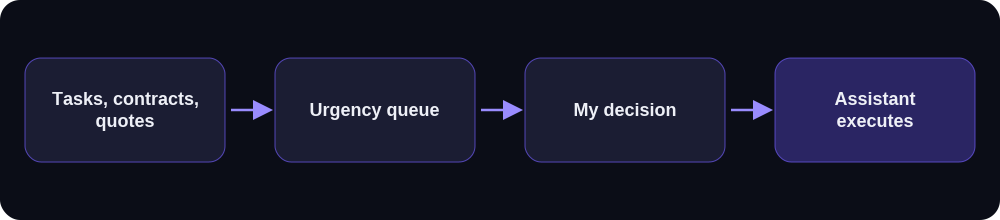
- Everything that needs attention (tasks, approvals, blockers, unanswered suppliers) goes into a single queue.
- Each item gets points by rule, with no AI, and shows the reason, such as "five days late".
- I decide on the item itself: approve, decline, resolve, set a deadline or snooze.
- The AI assistant works on the same data; anything sensitive, such as deleting a file, only happens after my approval.
Where it stands
In daily use by me and the assistant. Contracts are already in production, with the first one signed in November 2026.
Stack: Node.js, PostgreSQL, Google Drive (OAuth), transactional email, MCP.
What I learned
- A dashboard that only lists things doesn't solve anything. The gain came from ranking by urgency and explaining the reason for each item.
- Having the assistant as a real user, with a history of what it does, gives traceability: you can tell who changed what.
- Google app authorization has a cost: for the connection not to expire every few days, the app had to be published, with privacy and terms pages.
Frequently asked questions
Why build it instead of using an off-the-shelf tool?
Because I wanted the AI assistant working on the same data as me, with permissions and approval under my control, and off-the-shelf tools split everything across different places.
How do contracts work?
The contract is generated in the dashboard and the signer confirms with a code sent by email. The first one was signed in November 2026.
Keep reading

By Junior Carlos de Mattos
I work in marketing and build systems and AI automations. This post describes one of my own projects, in progress. About the author
Want something like this for your business?
Tell me what you need and I'll reply on WhatsApp.
Get in touch